Renewly keeps every subscription in one place, reminds you before each charge and shows what you really spend. No account. No bank login. Your list stays on your iPhone.
iPhone · iOS 17 or later · App Store release coming soon
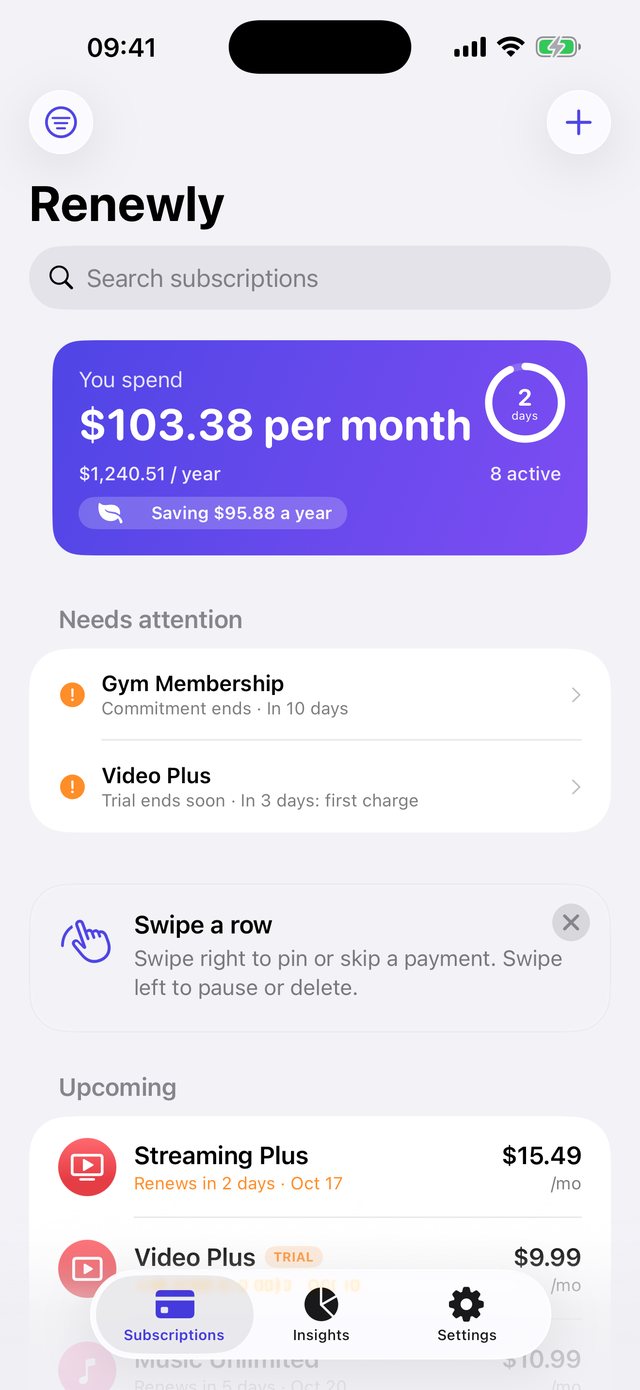
Add a subscription in seconds. Renewly does the remembering.
Get notified before every renewal. Tap right on the notification to keep it, snooze it or open the page where you cancel.
Enter how long the trial lasts. Renewly warns you before the first charge, with a countdown on your Lock Screen.
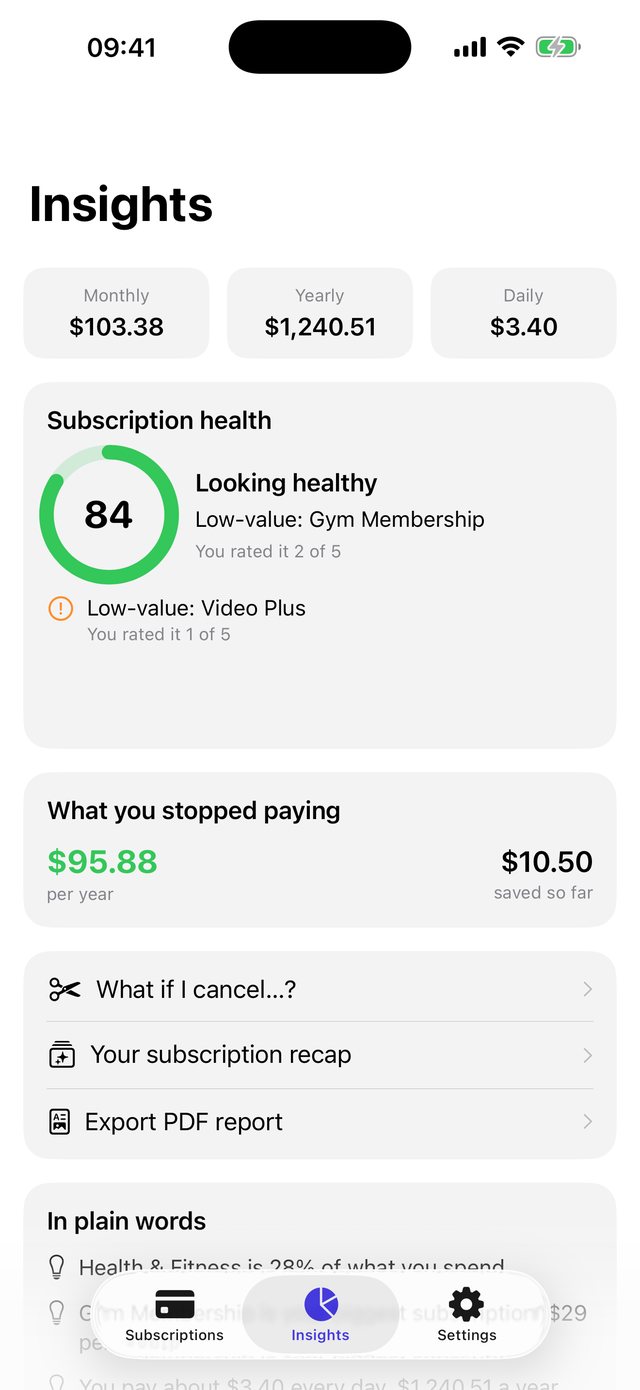
Monthly, yearly and daily totals, spending by category, a 12-month forecast and a subscription health score.
A clean-up mode helps you decide what to keep. See what you save when you cancel or pause a plan.
Pick from popular services, paste a confirmation email, share from Safari, or import from a screenshot of your Apple subscriptions.
Home and Lock Screen widgets, Live Activities, a Control Center button, Siri and Shortcuts, and Spotlight search.
A native design that stays out of your way.
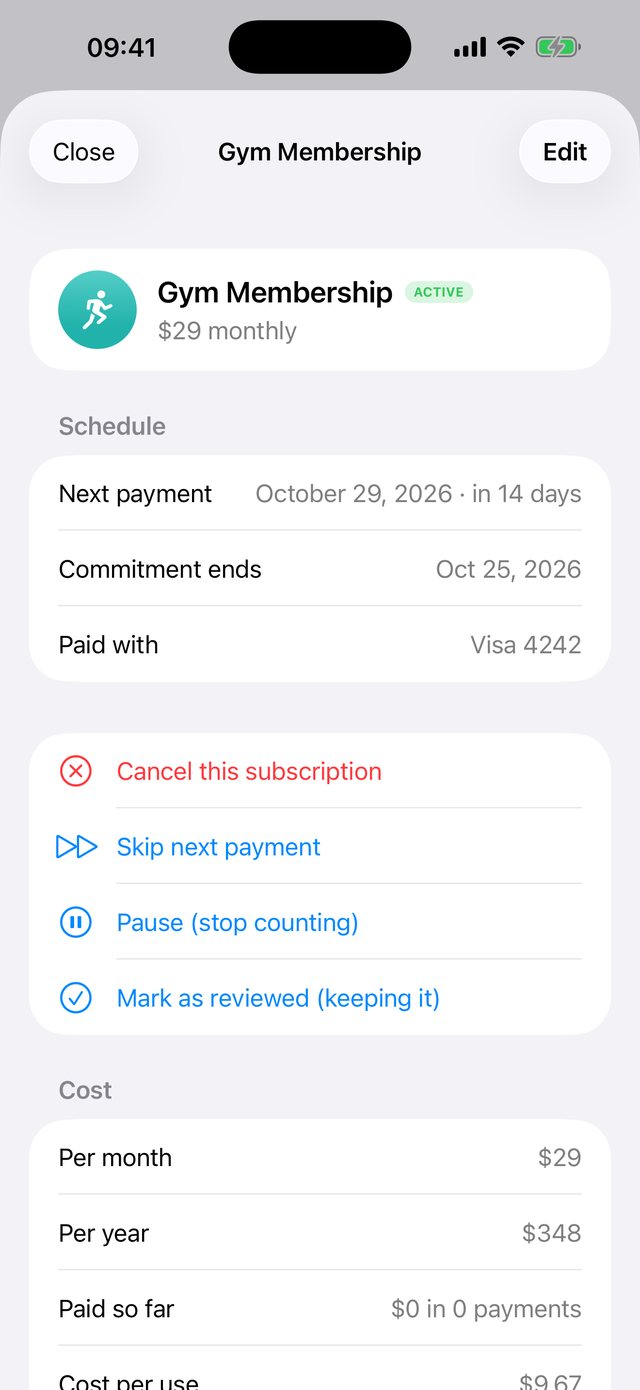
Renewly has no ads, no analytics and no tracking. It never asks for your bank login.
Your subscriptions are stored on your device. Optional iCloud sync uses your own iCloud account.
Lock the app, and hide amounts when someone is looking over your shoulder.
No. You add subscriptions yourself, share them from another app, or import them from a screenshot. Renewly never asks for bank or email credentials.
No. It opens the page where you cancel (your Apple subscriptions by default, or a link you save) and keeps a checklist. Once you have cancelled, you record it in Renewly to start counting your savings.
On your iPhone. If you turn on iCloud sync in Premium, it also syncs through your own iCloud account to your other devices. We have no servers that receive your list.
On your iPhone open Settings, tap your name, then Subscriptions, and take a screenshot. In Renewly choose the filter menu, then Import, then From a screenshot. Renewly reads the screenshot on your device and suggests entries for you to review.
Subscriptions are managed by Apple: Settings, your name, Subscriptions, Renewly. Lifetime Premium is a one-time purchase.
No. Renewly is a tracking tool. Totals and insights come from the prices and dates you enter.
 Renewly